Animal_CityWalk
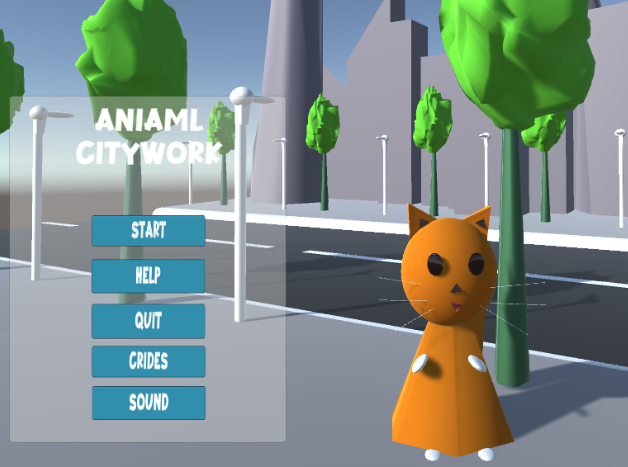
Click the Start button to launch the game, go to the level selection menu and select the level you want to play.
Once in the level menu, click Back to return to the main menu
Click the Sound button to control the background music on and off
Click CREDIT to see the dudes who developed this game
After entering the game interface, you can interact with the game character: According to the user interface area in the lower left corner, you can interact with the game character Orange.
You can move it left or right, rotate it left or right in place, or make it bigger or smaller.
Click “Reset” to return Kogane to its normal state for the corresponding action
Comments
Log in with itch.io to leave a comment.
Very creative game, the color combination is great, but it burns some background details
Very interesting game, the UI is clear and understandable, and the characters are interesting
Part of the top navigation area is missing, it would be nice if it could be adjusted.
A very good small game, UI will not block the main game page, click into the BGM, click the start button will enter another scene, play another bgm suitable for the scene, the zoom in and out of the character and the position and rotation of the reset can be reset, this is very good.